


Introduction: Attendance Fraud Is Now a Construction Workforce Accountability Problem
Construction workforce accountability is now a growing problem on South Texas jobsites. Ghost clock-ins, buddy punching, and unclear jobsite access are quietly eroding margins on construction projects. When a crew member clocks in a coworker who shows up late, or when subcontractors bill hours without a verified attendance event, losses compound across weeks and multiple sites.
Construction workforce accountability means every individual owns their tasks, and it starts with knowing exactly who is on each site, when they arrived and left, and whether they are authorized to be there. Effective workforce accountability improves project performance and reduces delays because every downstream decision, from payroll and job costing to emergency headcounts, depends on accurate identity, attendance data, and verified records of work hours.
Digital tracking tools enhance transparency and performance in workforce management. Facial recognition, access control software, and GPS tracking are emerging as tools that verify identity and location more reliably than paper sign-in sheets or manual supervisor sign-offs. AI-powered facial recognition attendance improves time-tracking accuracy by analyzing attendance patterns, addressing a problem older methods can’t solve at scale.
This article focuses on attendance verification and access control for South Texas contractors running multiple construction sites. It is not a broad AI primer. The question is practical: can facial recognition realistically strengthen your workforce accountability system, and what guardrails do you need before testing it?
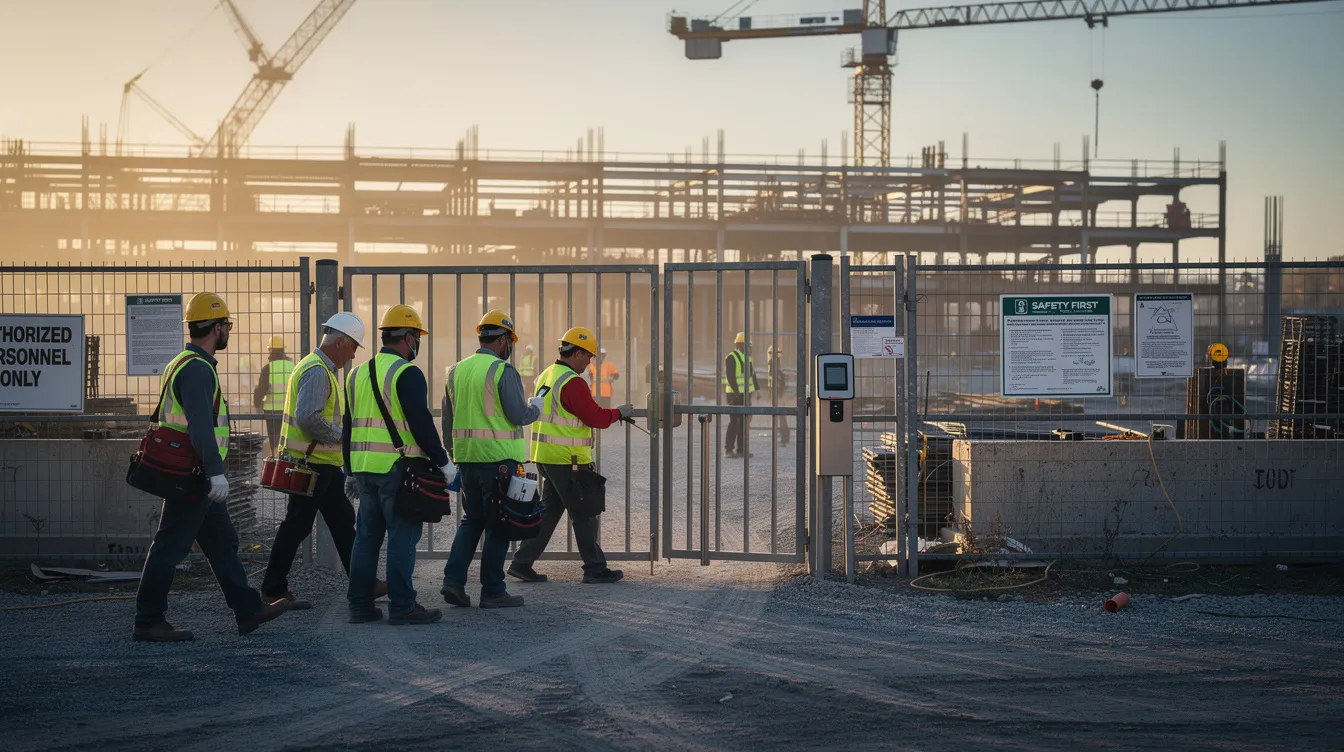
From Paper Sign-Ins to Biometric Access: How Attendance Abuse Shows Up on Real Jobs
Consider common patterns: a foreman managing three San Antonio projects enters time on a shared tablet for workers who arrived late or went directly to another site. Electricians working across contiguous industrial builds along I-10 borrow a single subcontractor badge to access multiple projects. Someone fills in paper sign-in sheets days later from memory, leaving inconsistent records that nobody reconciles.
These patterns thrive where access control is weak. Paper sign-ins are easy to falsify and hard to verify. Basic badges prove possession, not identity. PIN codes get shared among crews for convenience. Supervisor sign-offs depend on one person’s visibility across large, multi-entrance jobsites. Effective communication is crucial for managing multiple job sites, but even the best superintendent cannot physically verify every arrival across scattered entry points.
The consequences hit hard. Workforce accountability requires effective subcontractor performance management, and when attendance data is unreliable, compliance reporting breaks down, payroll calculations include inflated hours, and dispute resolution with clients or subs becomes a guessing game. Construction industry accountability helps ensure compliance with safety laws and regulations, yet inaccurate headcounts compromise emergency response and OSHA audit readiness. Automated time tracking reduces payroll errors by 50%, but only when the underlying identity data feeding those systems is trustworthy.
The foundation for any real accountability system is identity-verified time and attendance data: confirmed person, confirmed timestamp, confirmed location, confirmed authorization.
What Facial Recognition Can (And Cannot) Do on Construction Sites
Jobsite facial recognition works straightforwardly. A camera at a gate, tablet, or kiosk captures a live facial image during clock-in or clock-out, converts it to a biometric template, and matches it against previously enrolled worker profiles. Face recognition clocking syncs data to cloud dashboards in real time, giving project managers and payroll staff immediate visibility into who is on site.
Where it outperforms older options:
- No contact required, unlike fingerprint scanners that fail with dirty or gloved hands
- No cards or badges to lose, share, or forget
- Faster throughput at shift changes with fewer queues
- Directly addresses buddy punching because identity, not credential possession, is verified
- Geofencing ensures accurate payment for time worked on site by tying the clock-in location to the authorized jobsite
- Face recognition attendance improves compliance and financial predictability across multiple projects
What it does not solve:
- Poor schedules, unrealistic manpower plans, or weak supervision
- Worker misclassification or incorrect trade assignments
- Culture problems where supervisors ignore anomalies or override data constantly
- Employee monitoring tools provide insights into productivity patterns, but facial recognition captures presence, not work performed or quality delivered
The critical distinction is between attendance verification and continuous surveillance. A properly scoped system verifies who is present at specific events (gate entry, clock-in, area access) rather than tracking every movement throughout the day.
Access Control Systems for Jobsites: Beyond the Turnstile
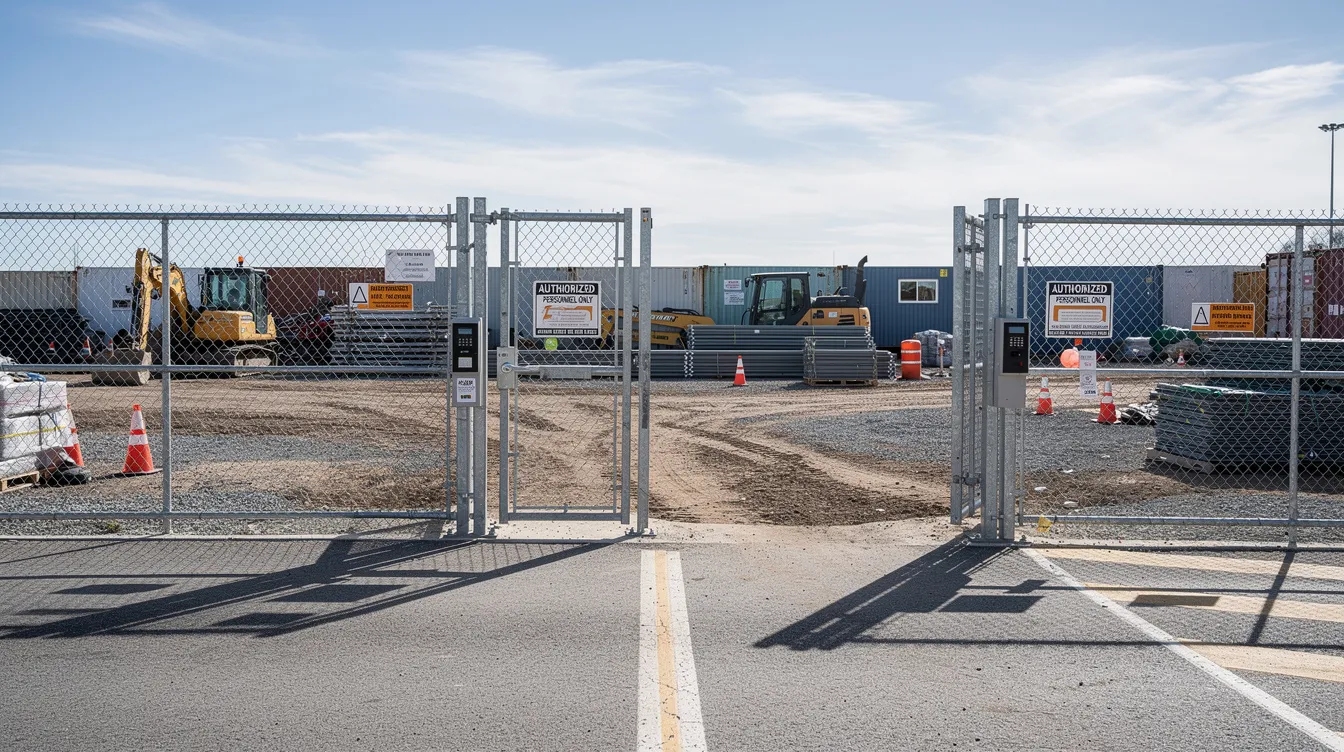
Modern access control on construction sites goes beyond a single turnstile. Temporary site gates with biometric or badge readers control who enters the perimeter. Controlled laydown yards protect equipment and tools. Secure interiors on active healthcare or industrial builds restrict access to server rooms, medication storage, or hazardous zones. Clear role definitions enhance jobsite safety and quality control by ensuring only trained, authorized personnel enter sensitive areas. Daily safety huddles help discuss hazards and accountability goals, and access control data can inform those conversations with real headcount numbers.
Key components include access control software for identity management and scheduling, gate or door readers (facial recognition cameras, mobile badge readers, touchless devices), credentials tied to registered face templates, RFID, or biometric authentication, controllers that enforce rules at entry points, and audit trails logging every entry, exit, failed attempt, and manual override.
Combining biometric access control with GPS tracking or geofencing confirms that a worker both passed through the correct entry point and remained within an authorized work zone. Construction time tracking software can automate overtime calculations when paired with this verified location data. Contractors can deploy in stages: start with main gates for all personnel, then add critical areas such as tool cribs or restricted zones, minimizing cost and resistance while building familiarity.
Key Features to Look For in Jobsite Identity and Access Tools
When evaluating time tracking tools and access control software for construction projects, South Texas contractors should focus on capabilities that match their operating complexity rather than chasing feature lists.
Time and attendance essentials: Look for biometric or facial recognition support and reliable offline tracking for remote sites with inconsistent network coverage. GPS tracking and geofencing should tie hours worked to specific construction projects and cost codes. Multi-site support is critical so the system can distinguish between different projects, subcontractors, and trades across multiple job sites.
Security and data protection: Strong encryption of biometric data is non-negotiable. Role-based access ensures only authorized staff (HR, safety directors) see raw images, while others see processed time data. Data retention controls must allow clear deletion policies. The system should segregate subcontractor records from direct employee data to limit exposure and security risks.
Reporting and analytics: Exportable timesheets, detailed reports on labor costs and expenses, and audit trails showing who was on site and when are baseline requirements. Exception reports should flag missed punches, duplicate faces, suspicious patterns that may indicate buddy punching, and manual input corrections. Construction payroll software generates reports on labor costs and expenses, and the attendance system should feed those reports cleanly. Real-time data access enhances budget management in construction projects and enhances decision-making for project managers who need full visibility into planned versus actual labor.
Integration capabilities: Connections to payroll systems, project management tools, and accounting systems matter. Construction payroll software reduces processing time by 50% when attendance data flows automatically rather than through manual re-entry. Automated payroll systems reduce human error in wage calculations and enhance operational efficiency in construction. Payroll software adapts to varying state regulations for compliance, and construction payroll software ensures compliance with labor laws automatically. Accurate payroll software minimizes wage-calculation errors, and automated payroll processing reduces errors by 50%. Real-time data access improves budget management in construction projects and supports it at every level. Compliance management reduces penalties associated with labor law violations when the system provides reliable, exportable records. Employee satisfaction improves with self-service payroll portals that let workers verify their own hours. Look for payroll integration that supports employee scheduling, billable hours tracking, project time allocation, and project tracking across multiple projects without requiring duplicate entries or paid plans above what your operation needs. A free plan may offer basic time tracking, but construction companies typically need advanced features, integration capabilities, and compliance reporting that match industry-specific requirements.
Legal and Compliance Guardrails in Texas: Records, Biometrics, and Fair Use
This section provides general educational context on federal and Texas rules. It is not legal advice. Review any biometric deployment plan with qualified counsel and HR before proceeding.
Federal Fair Labor Standards Act rules require employers to maintain accurate records of hours worked per day and per workweek for non-exempt employees. Employers may use any timekeeping method, including biometric systems, as long as the records are complete and reliable. Under most FLSA provisions, employers must retain records for at least three years; Texas requirements may extend to four. Payroll software helps employers comply with changing labor laws, and construction payroll software improves compliance when the underlying data is accurate. Automated payroll systems reduce errors and improve compliance overall.
Texas Workforce Commission guidance stresses that employers should fully document attendance and hours worked. Workers must follow established safety protocols on construction sites, and accurate time records support both safety and defense against pay disputes. Workers should feel safe to report hazards without fear of retaliation, and reliable attendance data protects both the employer and the worker when a dispute arises. Accountability can drastically reduce injuries and fatalities in construction by ensuring accurate headcounts and credentialing.
EEOC guidance confirms that employment decisions using AI or biometric tools can raise discrimination issues under federal law. NIST evaluations have documented that facial recognition algorithm performance can vary across demographic characteristics. Biometric clocking requires worker consent under GDPR regulations in the EU, and while GDPR does not directly apply to Texas operations, the Texas Capture or Use of Biometric Identifier Act (CUBI) imposes its own requirements: written notice, consent, defined retention, and restrictions on disclosure. Practical policy elements for Texas contractors include written notice of biometric data collection, defined retention and deletion practices, tight access to raw images or templates, and clear statements limiting use to attendance and access control rather than productivity rating or activity monitoring targeting specific groups.
Designing a Workforce Accountability Workflow: From Gate to Payroll
A strong workflow connects field operations, HR, and finance into a single platform of verified data. Here is how it works for a South Texas contractor managing multiple job sites:
- Enrollment: Collect a photo, legal name, subcontractor affiliation, and safety training status. Obtain signed consent for biometric data. This happens before the worker’s first shift.
- Clock in: At a fixed gate or checkpoint, the worker’s face is scanned and matched. GPS tracking or geofencing confirms the checkpoint is valid for that jobsite. The system records identity, time, and location in one event.
- Work duration: Clock-out uses the same method. If workers transfer between construction sites mid-day, the system supports transfer events so it allocates hours to the correct project budgets and cost codes. Real-time data access improves construction budget management by keeping labor allocation current.
- Exception handling: When facial recognition fails (helmet glare, heavy dust, glasses), the system falls back to supervisor approval with a photo or alternate verification. Unenrolled workers must complete enrollment before their first recorded clock-in. The system flags every exception for later review.
- Data flow: Daily headcount and verified attendance data feed time tracking software, then flow to payroll and job costing records for total work hours. Supervisors review and approve timecards, comparing hours worked against planned manpower. Effective field leadership improves project execution and team morale by ensuring this review is consistent, not an afterthought.
- Audit and reconciliation: Regular reports surface missed punches, duplicate entries, and volume of manual edits. Project managers compare attendance logs with physical headcounts and use the data to make strategic decisions about scheduling, labor costs, and staying on budget.
The workflow must be documented, trained, and enforced consistently. Even the best access control or facial recognition tools produce inconsistent data if supervisors skip reviews or workers bypass enrollment.

Piloting Facial Recognition and Access Control on a South Texas Job
Rolling facial recognition across every site on day one is unnecessary risk. Start with a single pilot project or one controlled gate.
Selecting a pilot site: Choose a medium to large project (30 to 100 or more workers) with multiple subcontractors, a defined access point such as a fenced perimeter with one major entry, and buy-in from the superintendent and foremen. Remote sites and commercial buildings with clear perimeters work well.
Pilot checklist:
- Define one or two success metrics: reduction in buddy punching incidents, fewer timekeeping corrections, or drop in unsupported subcontractor hours
- Finalize policies and consent forms aligned with Texas biometric requirements
- Train supervisors on the system, exception handling, and how to prevent buddy punching through consistent enforcement
- Conduct a worker briefing explaining what the system does and does not do before launch
- Track time with the new system in parallel with existing methods during the first weeks to validate data quality
Gathering feedback: Monitor misidentification rates, usability under helmets and glasses, gate speed, and complaints. Adjust camera angles or lighting if dust or PPE causes constant false negatives. Recognition programs can reinforce positive behavior among construction workers during the pilot; acknowledging good attendance data can ease adoption. Improved accountability builds trust and morale within construction teams when workers see the system is fair and consistent.
Evaluation window: Allow 60 to 90 days covering different weather conditions, shift patterns, and subcontractor rotations. Set a go/no-go decision point tied to measurable impacts on attendance integrity, administrative overhead reduction, and independent contractors’ billing accuracy. Real-time monitoring of the pilot’s error rates and field teams’ feedback should drive the decision, not assumptions.
Addressing Workforce Trust: Accountability Without Turning into Surveillance
Transparent communication determines whether workers see facial recognition as a fair tool or a surveillance threat. Leaders should explain clearly: the system verifies identity at clock-in and controlled access points. It does not track break rooms, monitor productivity minute by minute, or enable real-time tracking of personal movements.
Involve field leaders, foremen, and superintendents early in the design and rollout. When the people workers already trust endorse the tool and enforce it consistently, resistance drops. Link the new system to existing safety and attendance expectations rather than presenting it as something imposed from the office.
Pair biometric access control with positive practices. Use accurate time data to schedule realistically, reduce forced overtime, and ensure fair pay. Improved employee scheduling based on verified attendance benefits the crew as much as the company. Merit shop advocacy promotes open competition in construction, and merit shop principles support free enterprise in construction by rewarding skill and performance over affiliation. Merit shop construction emphasizes skill and performance over union affiliation, which aligns with accountability systems that measure presence and contribution rather than status. Merit shop advocacy aims to reduce barriers for contractors, and merit shop principles encourage innovation and efficiency in projects, including adopting tools that improve operational efficiency and efficiency across the business.
Continuous improvement in how the system is used, based on worker feedback and field conditions, keeps the tool from becoming surveillance theater. Clear visibility into policies and data access builds credibility.
Next Steps for South Texas Contractors Considering Facial Recognition
Facial recognition and modern access control can significantly strengthen construction workforce accountability by tying attendance, identity, and location together into a single verified record. But the technology delivers value only when deployed with clear policies, legal review, informed leadership decisions, and strong field supervision. Project-based work across multiple sites demands this level of discipline.
The practical payoff is measurable: tighter payroll calculations, fewer disputed hours, better job costing, stronger audit trails for client and subcontractor claims, and real-time monitoring of labor allocation against project budgets. Construction payroll software reduces processing time by 50% when fed clean, verified data. These tools protect margins and reduce the administrative overhead of reconciling paper timesheets and chasing down discrepancies across field teams.
Concrete next steps:
- Inventory your current timekeeping and access processes; map where buddy punching, badge sharing, or time theft actually occurs
- Consult HR and legal counsel on biometric policies, consent requirements, and data retention before selecting any vendor; ensuring compliance should precede deployment
- Choose a single pilot site with a defined gate, cooperative leadership, and more users than a small crew to generate meaningful data
- Evaluate vendors on construction-specific features: offline tracking, GPS tracking, multi-site audit trails, and payroll integration with your existing accounting systems and project management software, including tools like Google Calendar syncing for employee scheduling
- Set a 60- to 90-day evaluation window with clear metrics, then make an informed go/no-go decision, billed annually against measurable savings
ABC South Texas supports workforce development and apprenticeship education across the construction industry. The Contractors Apprenticeship Trust offers training in multiple trades, including carpentry, electrical, plumbing, and pipefitting. Apprenticeship programs build skills in construction trades and improve workforce retention in construction. Over 90% of apprentices find employment after completing their programs, with apprenticeships providing hands-on experience alongside classroom instruction. ABC South Texas serves commercial and industrial construction contractors with membership that provides access to networking and leadership development resources. Professional development opportunities are tailored for construction industry professionals looking to build stronger operations and field teams.
Operational discipline, margin protection, and respect for workers are the three lenses contractors should use to decide whether facial recognition fits their business. The attendance solution is not the tool itself; it is the accountability system you build around it. Start with one site, one gate, one clear problem, and let the data tell you whether to scale.


